
FeaturesOption

WhatsApp and the phone, linked to the till

Your guests book and ask questions on WhatsApp; orders taken by phone or WhatsApp follow their way to the kitchen and to delivery.

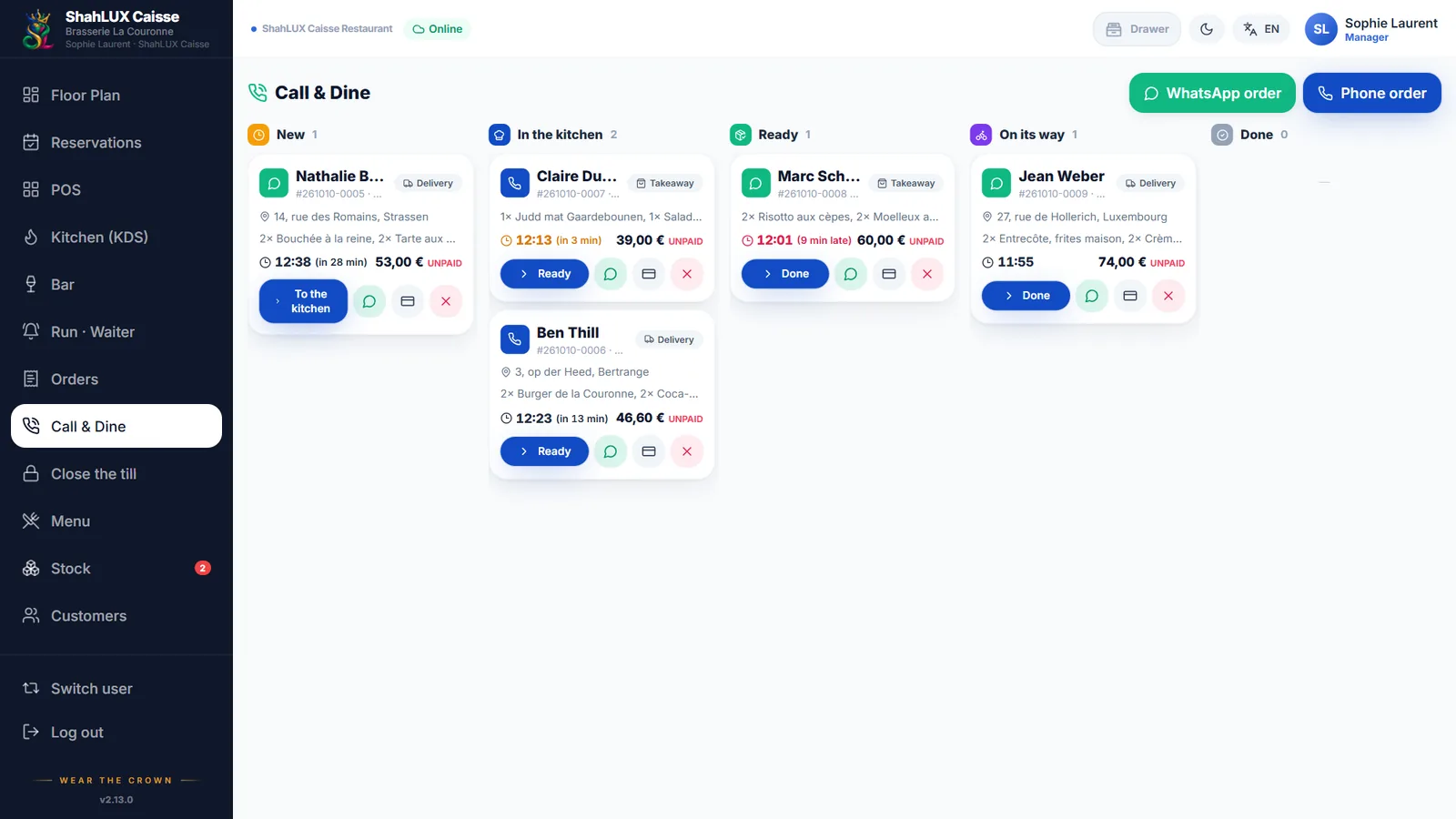
ShahLUX Caisse board of phone and WhatsApp orders

01

The WhatsApp assistant

Your guests write to the ShahLUX WhatsApp number through your link or your QR code: the assistant knows it is your restaurant and answers in its name.

  • Book, see or cancel a booking
  • Opening hours, address and the menu
  • Guests’ messages in your inbox, answered from the till
  • Nothing booked without the guest’s confirmation
02

Call & Dine: phone orders

An order taken by phone or received on WhatsApp opens in a sheet: the guest found by number, the delivery address, the dishes. It goes to the kitchen like any order in the room.

  • Board: new, in the kitchen, ready, out for delivery, done
  • Takeaway or delivery
  • The guest’s history and preferences

03

One guest file

Bookings, orders and messages belong to the same guest: their language, their details and their consent to WhatsApp are kept in their file.

Your guests write to the ShahLUX WhatsApp number through your link or your QR code: the assistant knows it is your restaurant and answers in its name.

Frequently asked questions

Do I need a WhatsApp number per restaurant?

No. The assistant uses the ShahLUX WhatsApp number; your link and QR code bring your guests straight to you.

Can the assistant book on its own?

It offers your free times and records the booking once the guest confirms.

Do phone orders go to the kitchen?

Yes, like any order, on the kitchen screen or printer.

See it with your own menu and room

A demo of ShahLUX Caisse, set up with your dishes and your tables.