FeaturesOption

Bookings, right on the floor plan

Your guests book on your page or on WhatsApp; the booking reaches the till, at the right table, with the party size and the time.

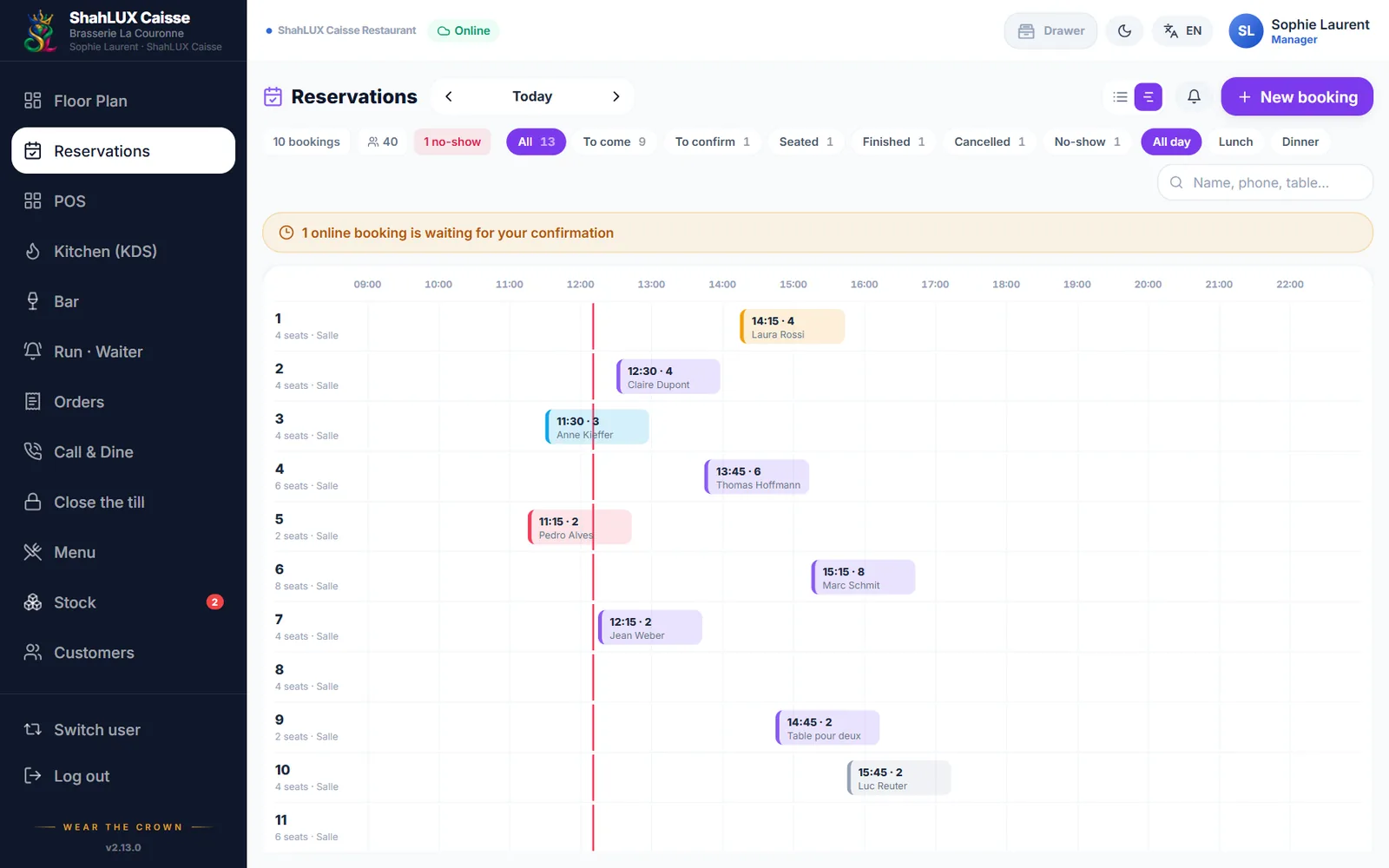
ShahLUX Caisse bookings board for the day

01

Your booking page

The restaurant gets its own booking link for its website, Google or social media. Guests pick the day, the time and the party size among your free slots.

  • Slots and capacity from your opening hours
  • Tables bookable online chosen by the restaurant
  • Large tables made by joining tables

02

On the plan, at any time

The floor plan shows bookings at the moment you choose: now, tonight at 8 pm or tomorrow lunchtime. A table booked later shows the booking’s time.

  • Statuses: to confirm, confirmed, seated, no-show
  • One tap to seat the guests and open the bill

03

Confirm and remind

Confirmations and reminders go out by WhatsApp or e-mail, in the restaurant’s name. Guests can see or cancel their booking from the message.

Frequently asked questions

Is the quick hold included without the option?

Yes. Holding a table in one tap from the plan is included; the Reservations option adds the online page, WhatsApp, confirmations and the planner.

Can some tables be kept off online booking?

Yes, each table can be bookable online or not.

Do guests get a reminder?

Yes, by WhatsApp or e-mail depending on their details.

See it with your own menu and room

A demo of ShahLUX Caisse, set up with your dishes and your tables.