
Features

The whole room at a glance

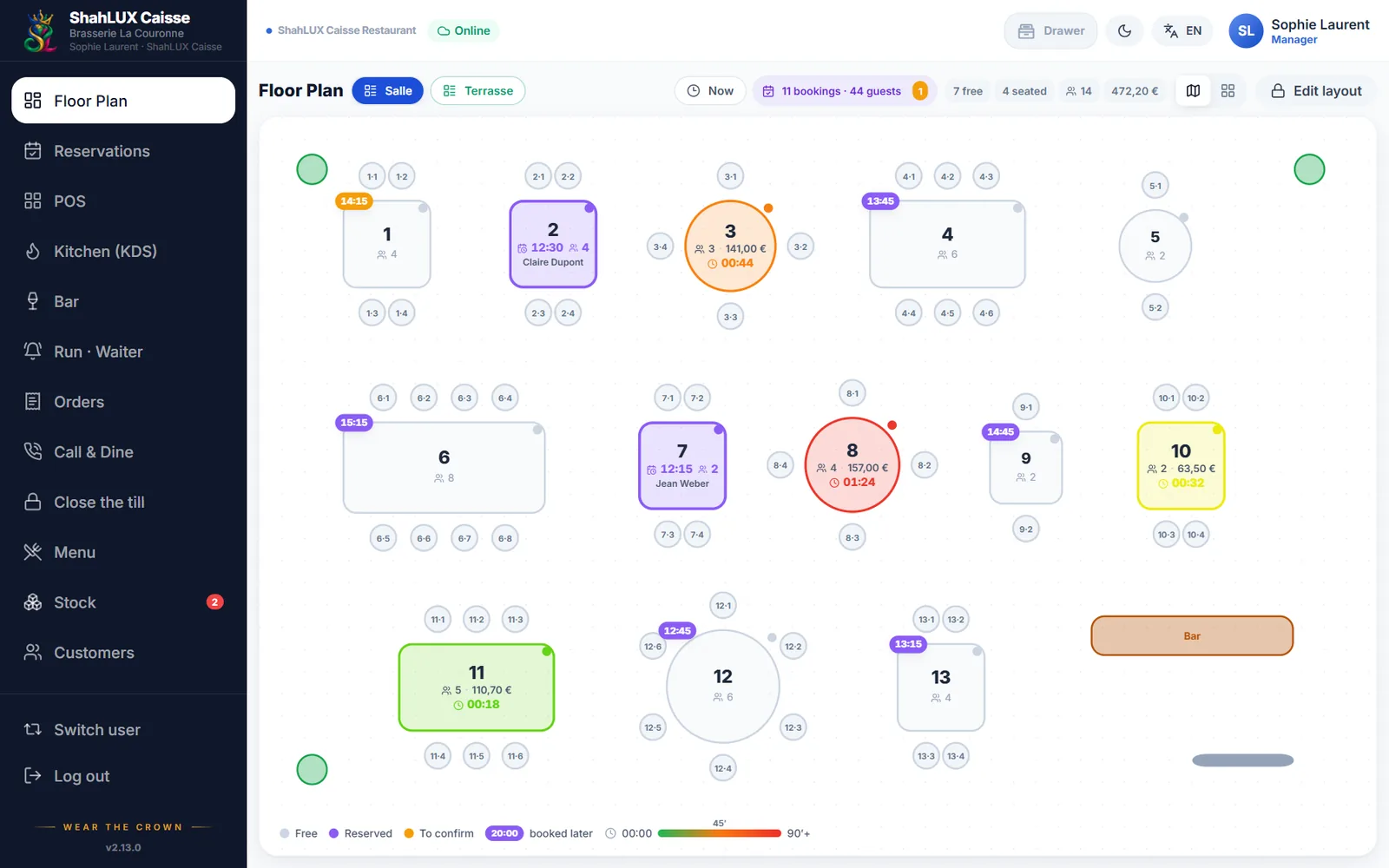
Draw your room as it is — round and square tables, the counter, the terrace — and follow the service live: who waits, who orders, who pays.

ShahLUX Caisse floor plan with free and busy tables

01

Your room, as it is

Place tables, chairs, the bar, walls and plants by drag and drop. Several sections (room, terrace, upstairs) each have their own plan.

  • Tables of every shape, counter seats with a bill of their own
  • Plan size set for every screen
  • A QR code per table for the menu or ordering
02

Each table’s time, in colour

A busy table turns from green to orange to red as time passes since the guests sat down. You see at a glance where service is running late.

  • Guests, running total and timer on every table
  • Warning thresholds chosen by the restaurant
  • Updated live on every screen

03

Hold, move, merge

A table is held in one tap for guests on their way. A bill moves to another table, or several tables join for a large party.

  • Quick hold included, no booking option needed
  • With the Reservations option: tonight’s bookings right on the plan

04

On a phone, tiles

On a phone the room shows as large tiles that are easy to tap, with the same state and timer; the drawn plan stays one tap away.

Frequently asked questions

Can I have a terrace and a room apart?

Yes, each section has its own plan, one tap away from the other.

What happens when guests change tables?

The bill moves to the new table with everything already ordered.

Does the floor plan work on a phone?

Yes: a phone shows the tables as tiles; a tablet or a PC shows the drawn plan.

See it with your own menu and room

A demo of ShahLUX Caisse, set up with your dishes and your tables.